> ## Documentation Index
> Fetch the complete documentation index at: https://docs.platform.statista.ai/llms.txt
> Use this file to discover all available pages before exploring further.
# Connect to Perplexity Desktop (Mac)
> Connect the Statista MCP Server to Perplexity Desktop on Mac
## Install Perplexity Desktop
Install [Perplexity Desktop](https://www.perplexity.ai/platforms) (important that it's the desktop version).
If you don't already have one, create an account.
Launch the app to get started.
## Set up Connector
In the bottom-right corner, click the cogwheel.
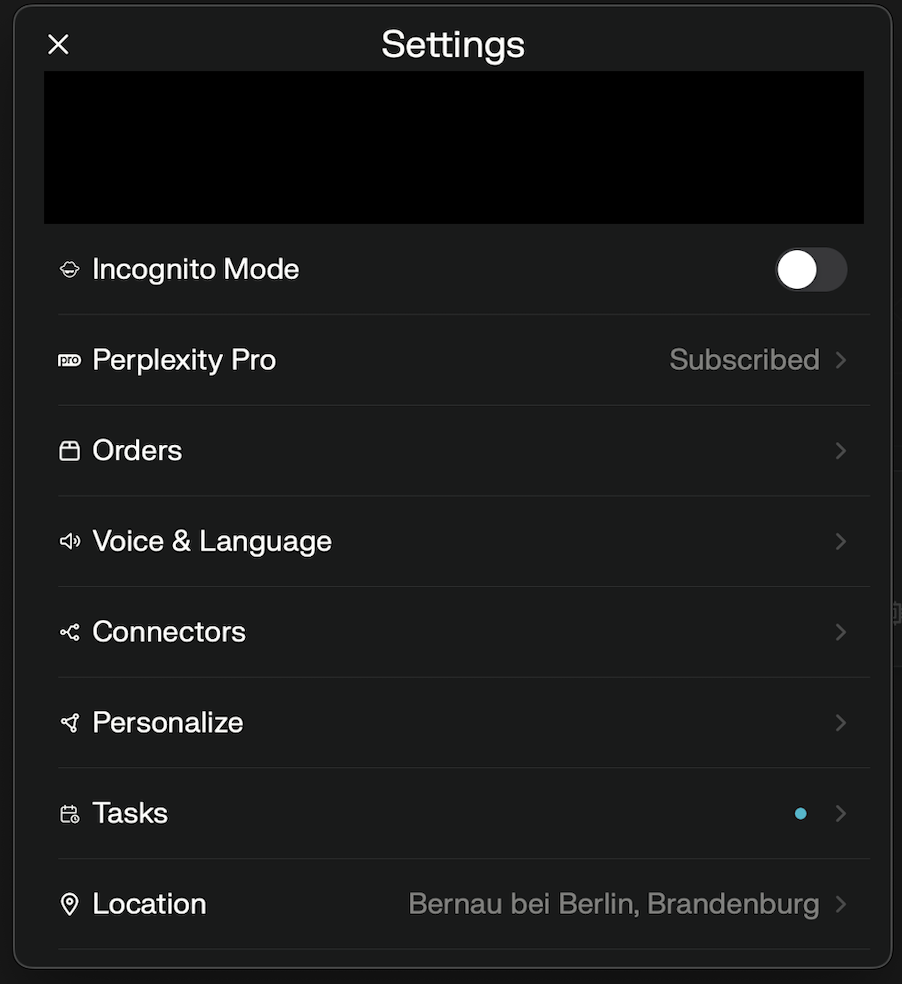 Click `Connectors`, then click `+ Add Connector` and choose `Advanced`.
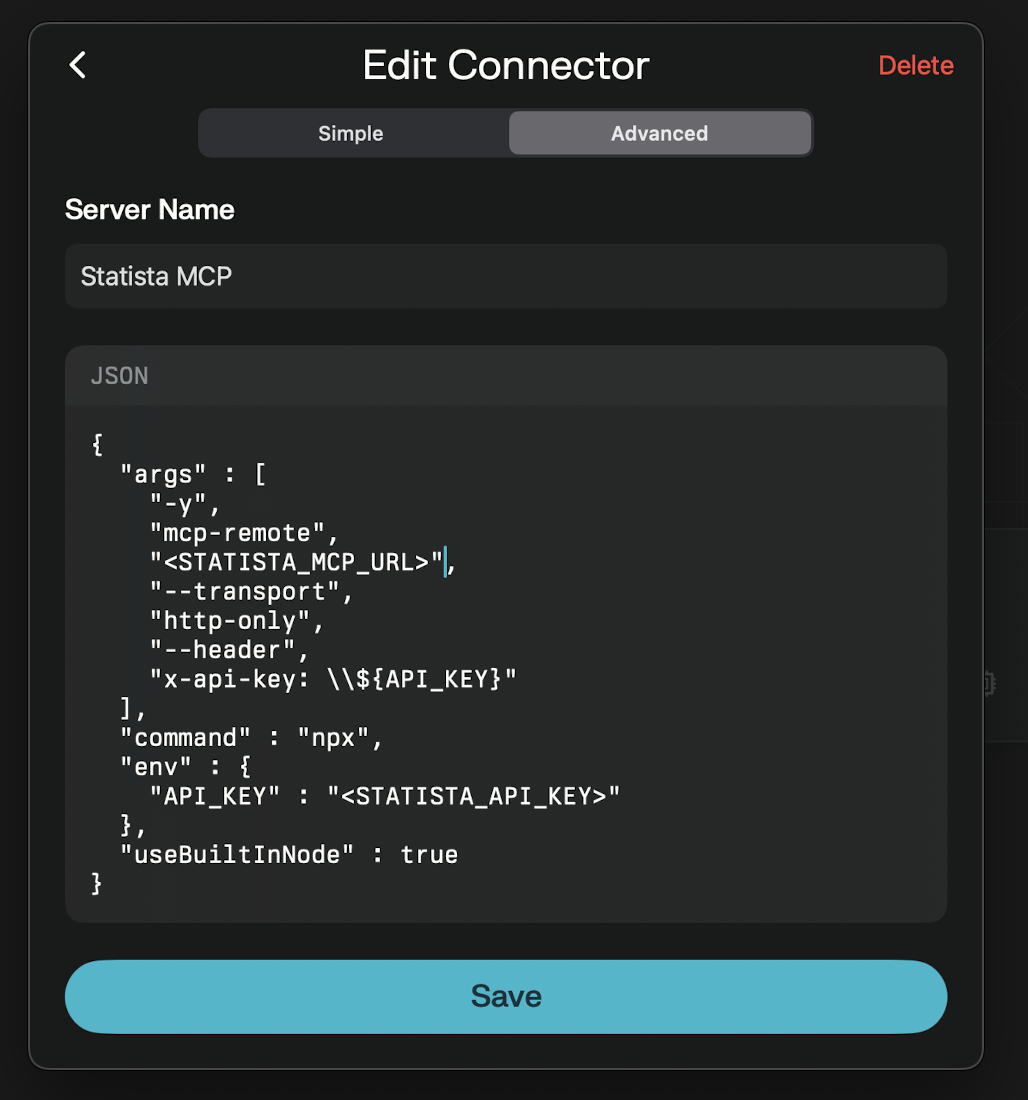 Copy/paste this into the text-box:
```json theme={null}
{
"args" : [
"-y",
"mcp-remote",
,
"--transport",
"http-only",
"--header",
"x-api-key: \\${API_KEY}"
],
"command" : "npx",
"env" : {
"API_KEY" :
},
"useBuiltInNode" : true
}
```
Replace `` and `` with provided credentials from Statista.
Save your new connector.
Toggle `Statista MCP` as a source.
Copy/paste this into the text-box:
```json theme={null}
{
"args" : [
"-y",
"mcp-remote",
,
"--transport",
"http-only",
"--header",
"x-api-key: \\${API_KEY}"
],
"command" : "npx",
"env" : {
"API_KEY" :
},
"useBuiltInNode" : true
}
```
Replace `` and `` with provided credentials from Statista.
Save your new connector.
Toggle `Statista MCP` as a source.
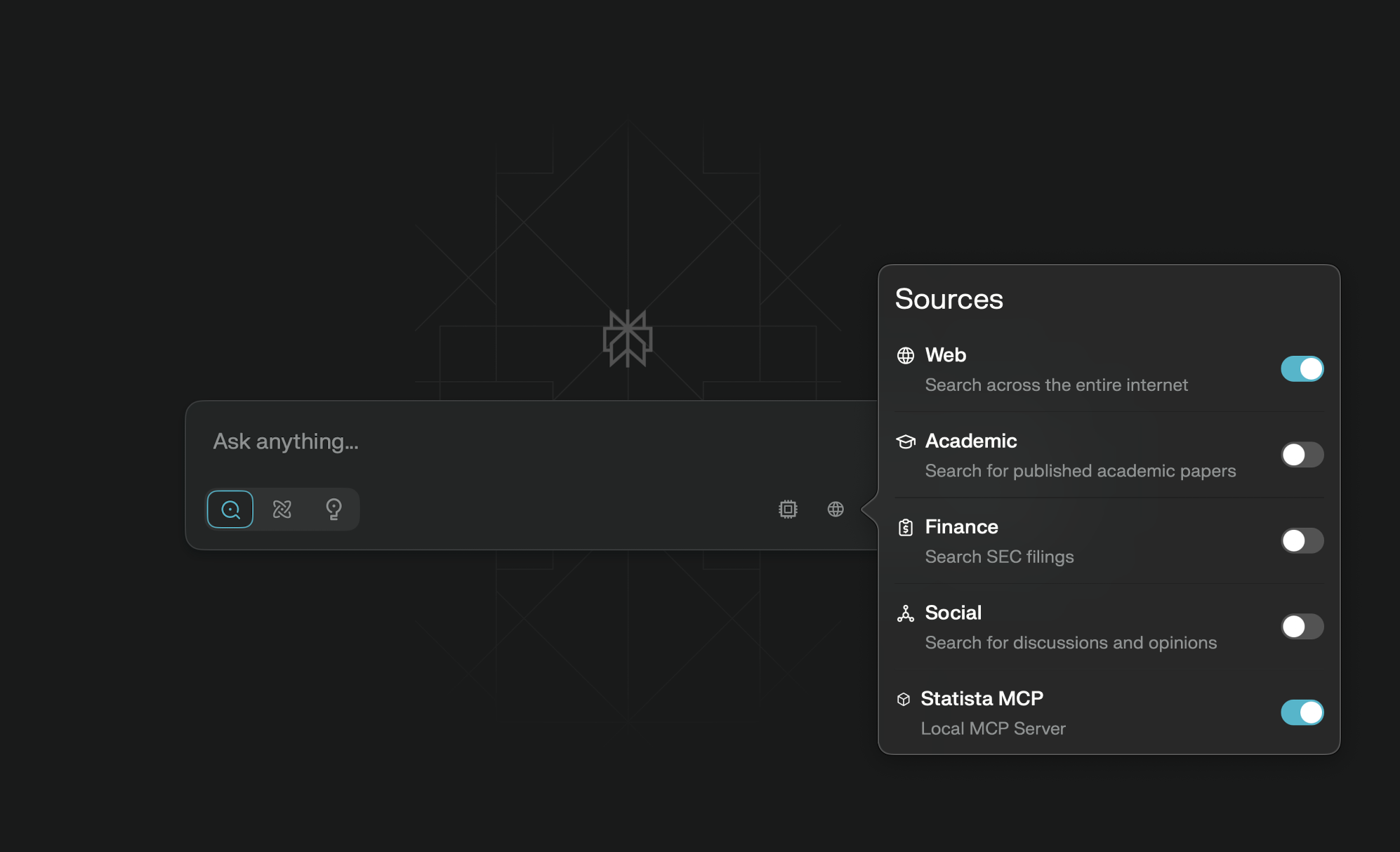 You're good to go! Now you can do market research with Statista and Perplexity Desktop on Mac 🎉